
Converting
Audio
The Audio section chooses which of the disc's audio tracks go into the file and how much their loudness is evened out.
Channels
Main takes the first track, which on a Blu-ray is the main language in its best mix. All takes every track. Select… shows a checkbox beside each track in the Audio list of the bottom panel, where you tick the ones you want. The default is under Settings → Defaults → Audio → Channels.
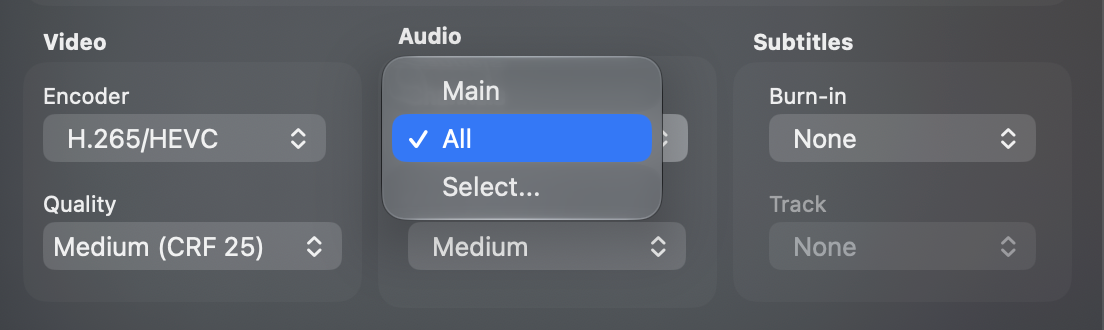
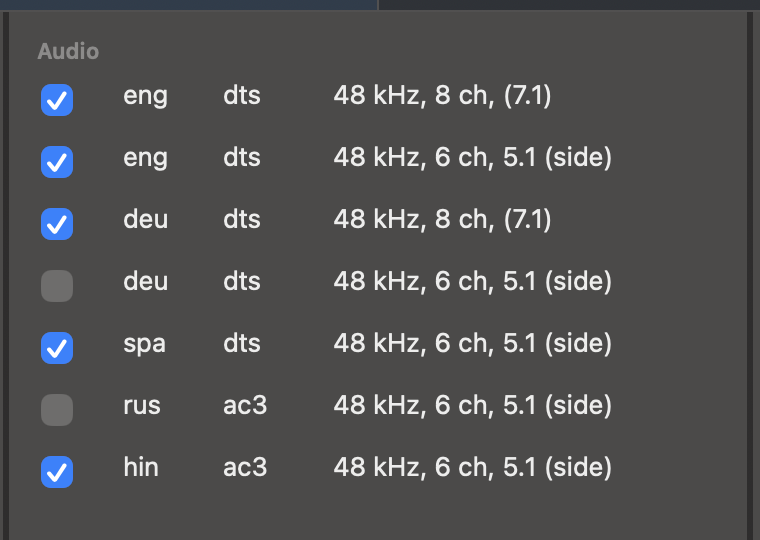
A movie with no audio track shows None here, and the section is greyed out.
Normalization
Normalization narrows the gap between the quiet and the loud parts, so dialogue stays audible without the explosions hurting. None leaves the dynamics as the disc has them. Light keeps most of the range, Medium is the default and suits most movies, and Strong presses everything closest together. The default is under Settings → Defaults → Audio → Normalization.
The tracks are encoded to AAC stereo. With Keep original audio on, the tracks are copied as they are and normalization is off.