
Converting
Running the conversion
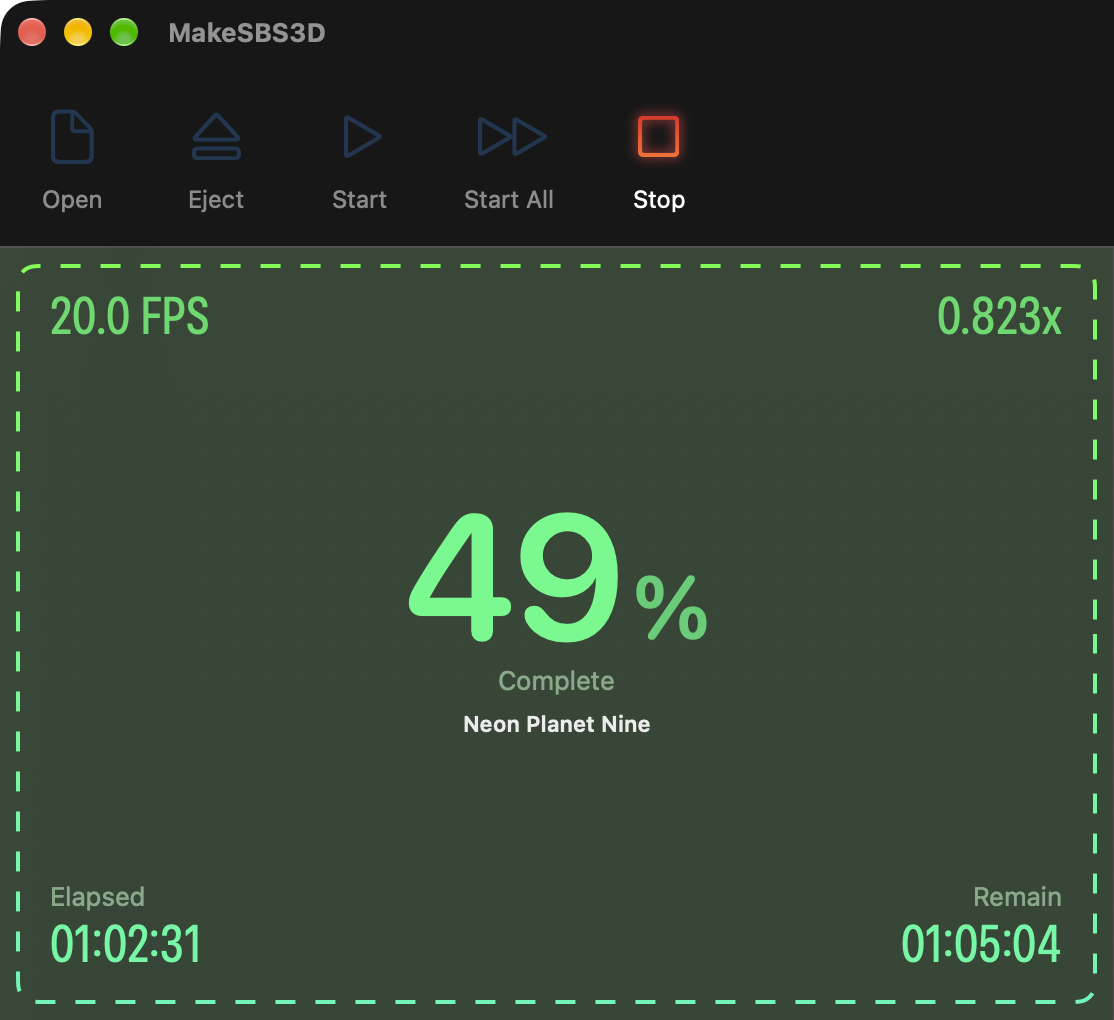
Start converts the selected movie, Start All every movie in the list. The left panel and the status bar follow the progress, and Stop ends it.
Start and Start All
Start (⌘S) converts the movie selected in the Sources list. Start All (⌘A) runs through the whole list in order, each movie with its own settings, and is available when every movie in the list passed the check. The settings lock while a conversion runs.
Progress
The left panel shows the percentage done, the frame rate and the speed against real time, the time elapsed and the time remaining. The status bar at the bottom repeats them with the frame count. Above the percentage, a word names the stage: Extracting while MakeMKV writes a disc title, Analyzing during the pass for Boost mid levels, and the movie's name while it converts. In a batch, the name is preceded by its number in the list.
How long it takes depends on the Mac, the encoder and the quality setting. Spatial Video adds its second pass, and Boost mid levels its analysis pass.
Stop
Stop (⌘C) asks "Are you sure?" and then ends the conversion. The partial file is removed, and the movie stays in the list for another try.
When it is done
The left panel reports "Finished successfully!", or the number of files that failed. The movie is in the output folder with its format tag in the name. In the trial, the conversion stops after the first 5 minutes and the name ends in _TRIAL.
Copy the file to the headset. SKYBOX and Moon VR Player on Apple Vision Pro and Meta Quest play Side-by-Side files, set to full side-by-side 3D if the player does not detect it from the name. Apple Vision Pro plays Spatial Video in its own apps and in players that support the format.
A failure ends with "See console for details". Console (⌘.) opens the log, and the last lines usually say what went wrong.